How to Make MIDI in Sonura Studio
Make MIDI on the Sonura Studio timeline: describe a part and create it, drag in a .mid file or record notes, then edit them in the piano roll.
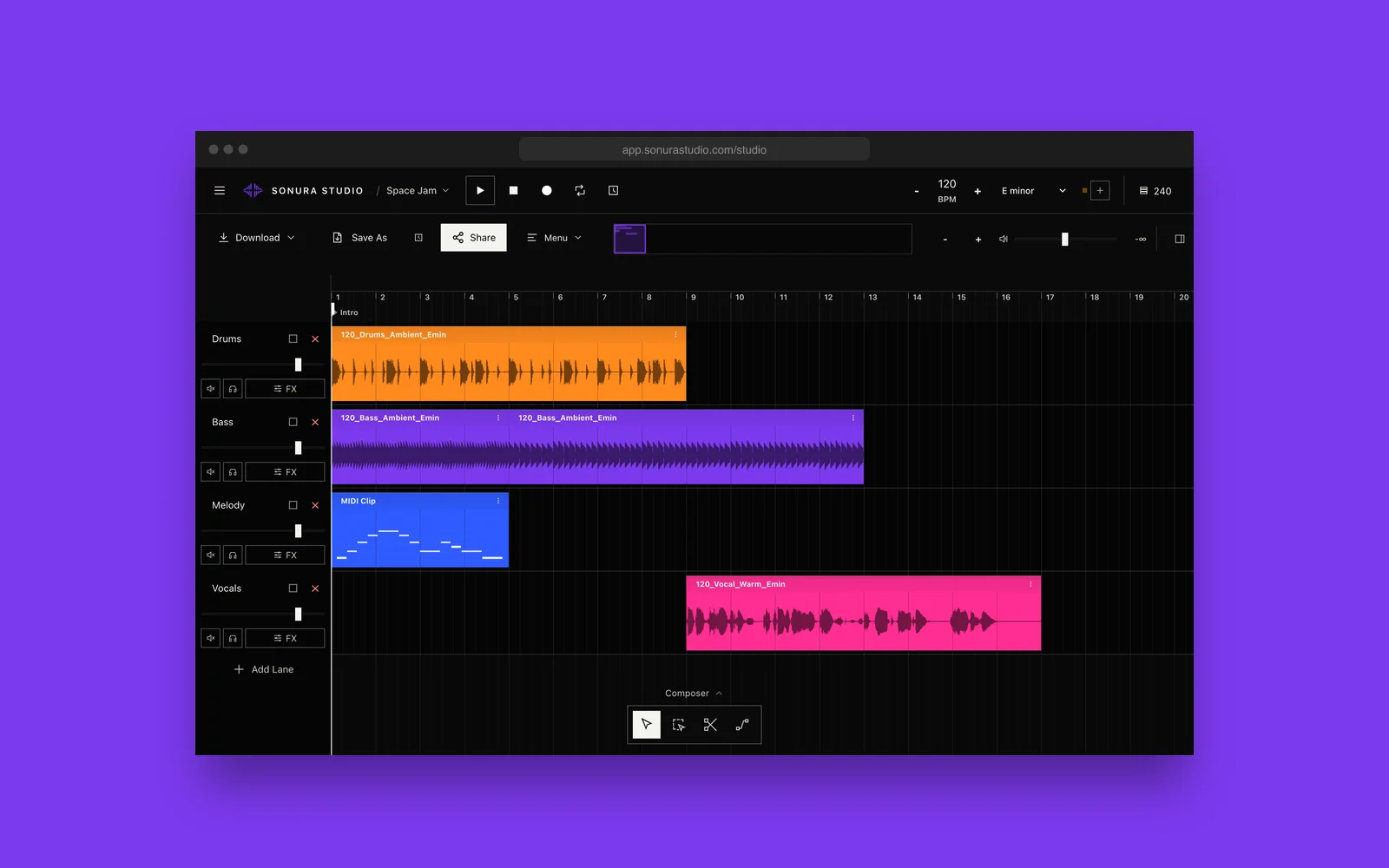
MIDI is the ultimate form of control for music projects
An audio clip, like vocals or a recorded instrument, is great when a sound is right. MIDI is best when you want to keep working on the part itself: move a note, change a rhythm, swap the instrument, or drop the whole line into a new key.
In Sonura Studio, MIDI sits on the same timeline as everything else, so you can build and edit it without leaving your arrangement.
Get MIDI onto the timeline
There are three ways in:
- Create it. In the create panel, switch MIDI on, choose a length of 4, 8, 16 or 32 bars, and describe the part, like a rolling bassline in E minor.
- Drag it in. Drop a .mid file straight onto the timeline.
- Ask Composer. Composer can write notes into an empty clip and change the key of what is already there.
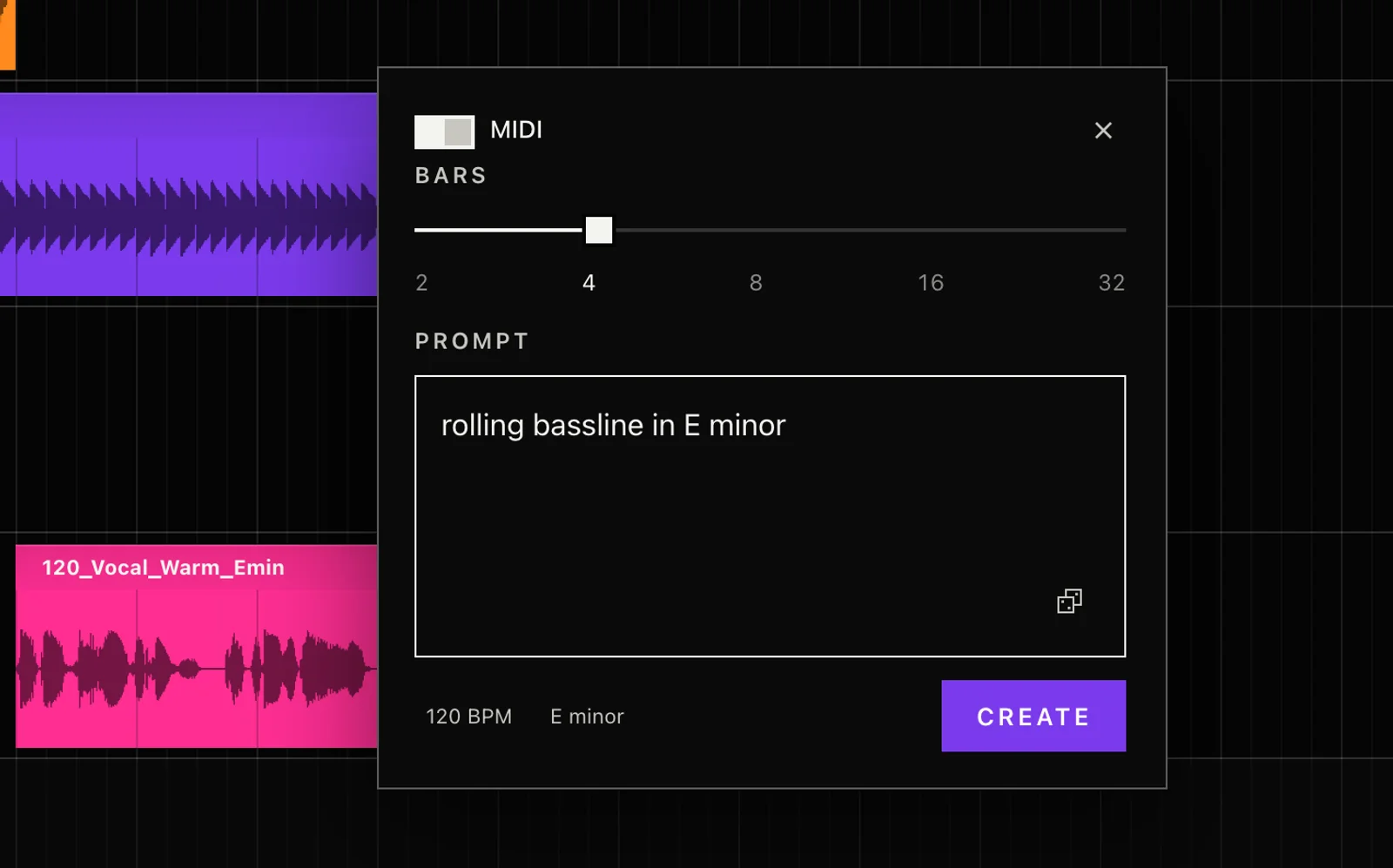
The part lands on the timeline as a blue MIDI clip, right next to your audio. Right-click it and choose Edit Notes to edit the notes in the piano roll.
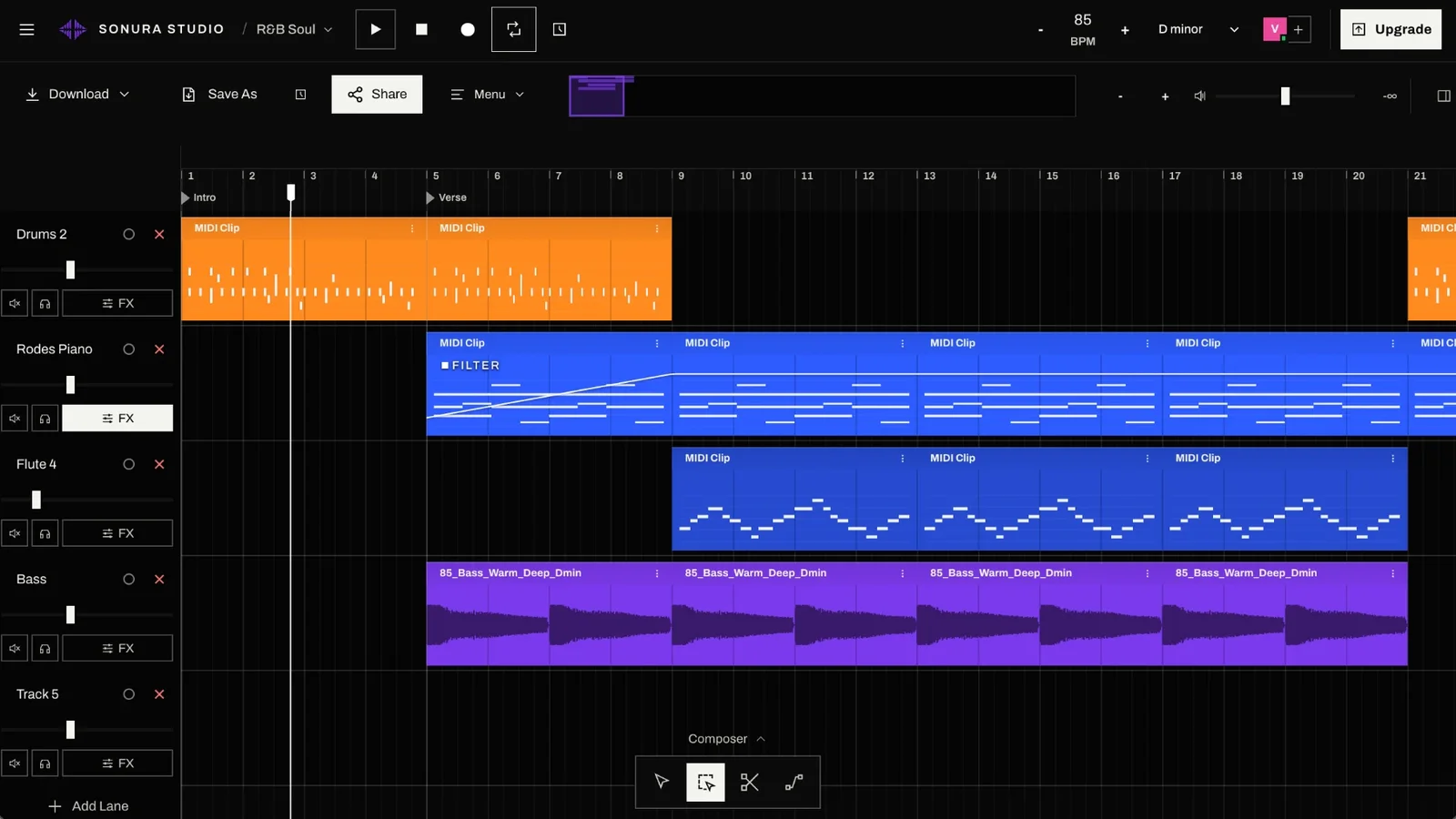
If you already have a recording you want as notes, uploaded and recorded audio can be exported as MIDI too.
Edit in the piano roll
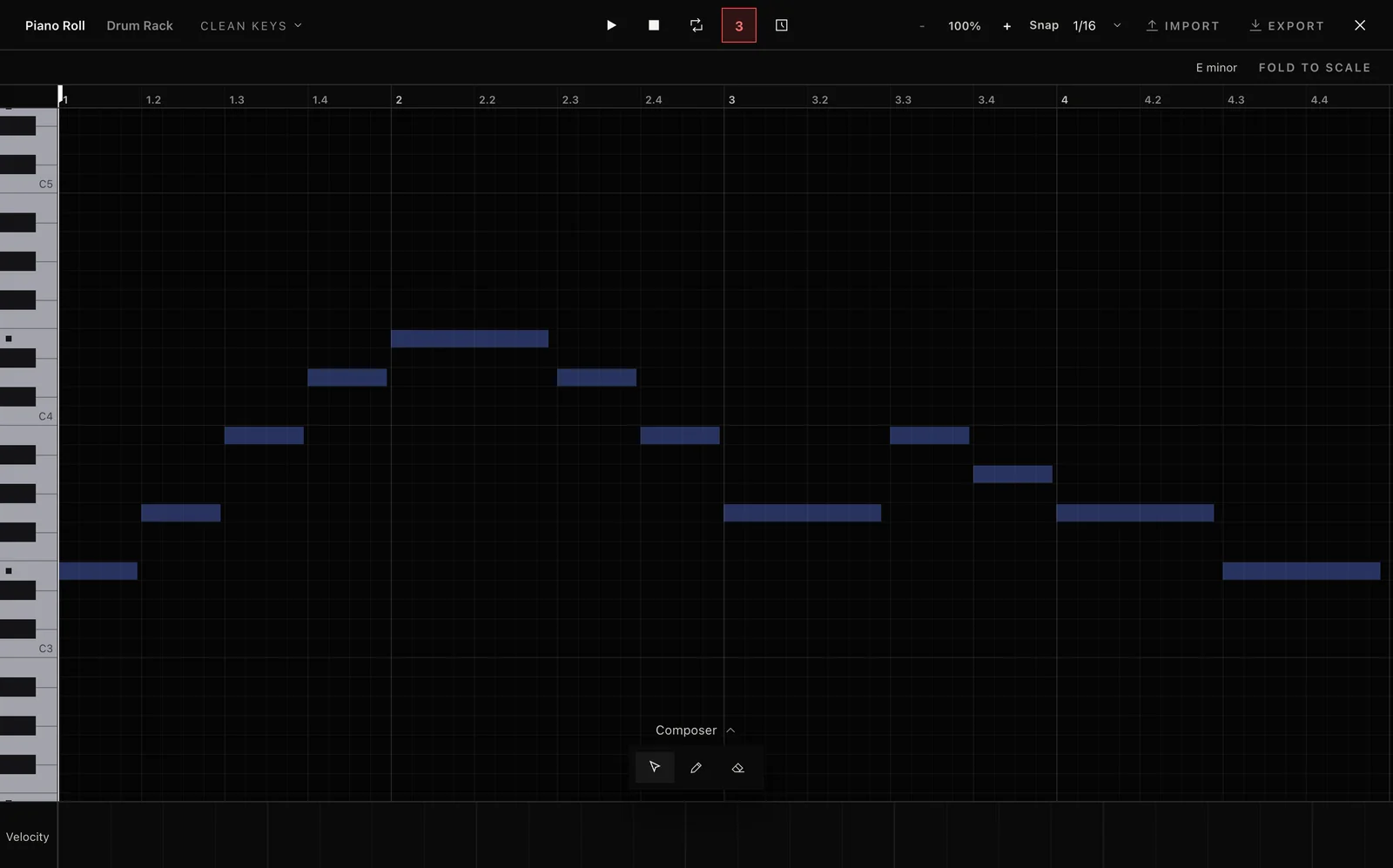
Double-click a MIDI clip to open the piano roll. Nudge notes, change lengths, copy and paste, and set the grid snap. Pick the instrument for the track and the same notes play on a new sound.
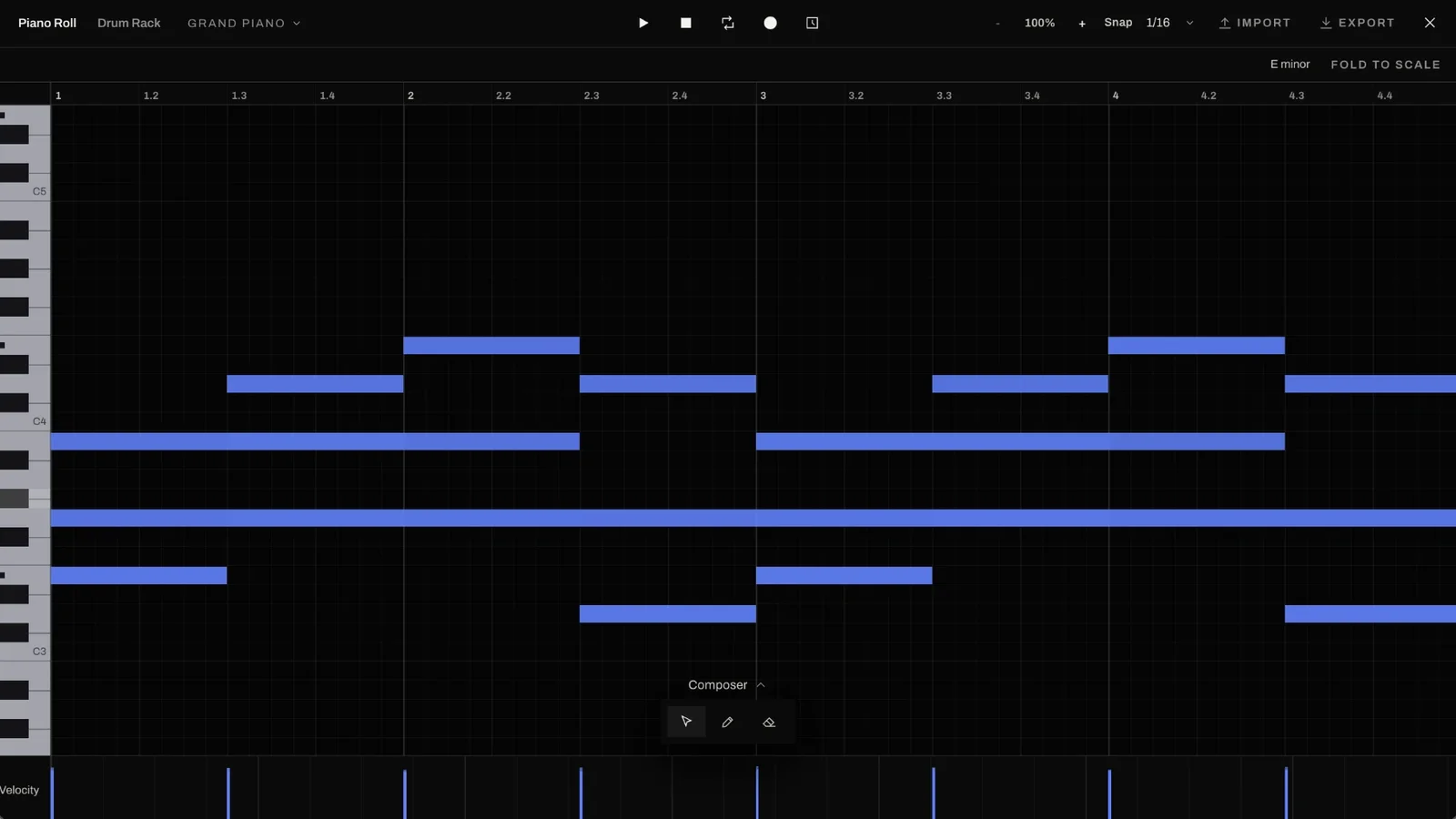
Fold to Scale limits the grid to the notes of your key, here E minor. Import and Export bring MIDI files in and out.
Record it yourself
If you would rather play it in, record notes from a MIDI controller or your computer keyboard. A one-bar count-in gives you time to get ready, and new notes draw as you play them.
When the part is ready, export it, or take the whole project to your DAW with stem export. To create MIDI inside your DAW instead, try Sonura Flow.
Frequently asked questions
How do I make MIDI in Sonura Studio?
Describe a MIDI part and create it, drag a .mid file onto the timeline, or record notes from a MIDI controller or your computer keyboard. Then double-click the clip to edit it in the piano roll.
Can I turn audio into MIDI?
Yes. Uploaded and recorded audio can be exported as MIDI. One-shots cannot, since they are a single hit rather than a part.
Which instrument plays my MIDI?
A MIDI clip plays on an instrument you choose for that track. Change it and the same notes play on the new sound.
Can I use MIDI in my DAW?
Yes. Export the MIDI and drop it on an instrument track in Ableton Live, FL Studio, Logic Pro or any other DAW. To create MIDI inside your DAW, use the Sonura Flow plugin.