How to Use Composer in Sonura Studio
Learn how to use AI to make music with Composer, the co-producer in Sonura Studio. Start a song, change the key, add parts and effects, then take the stems to your DAW.
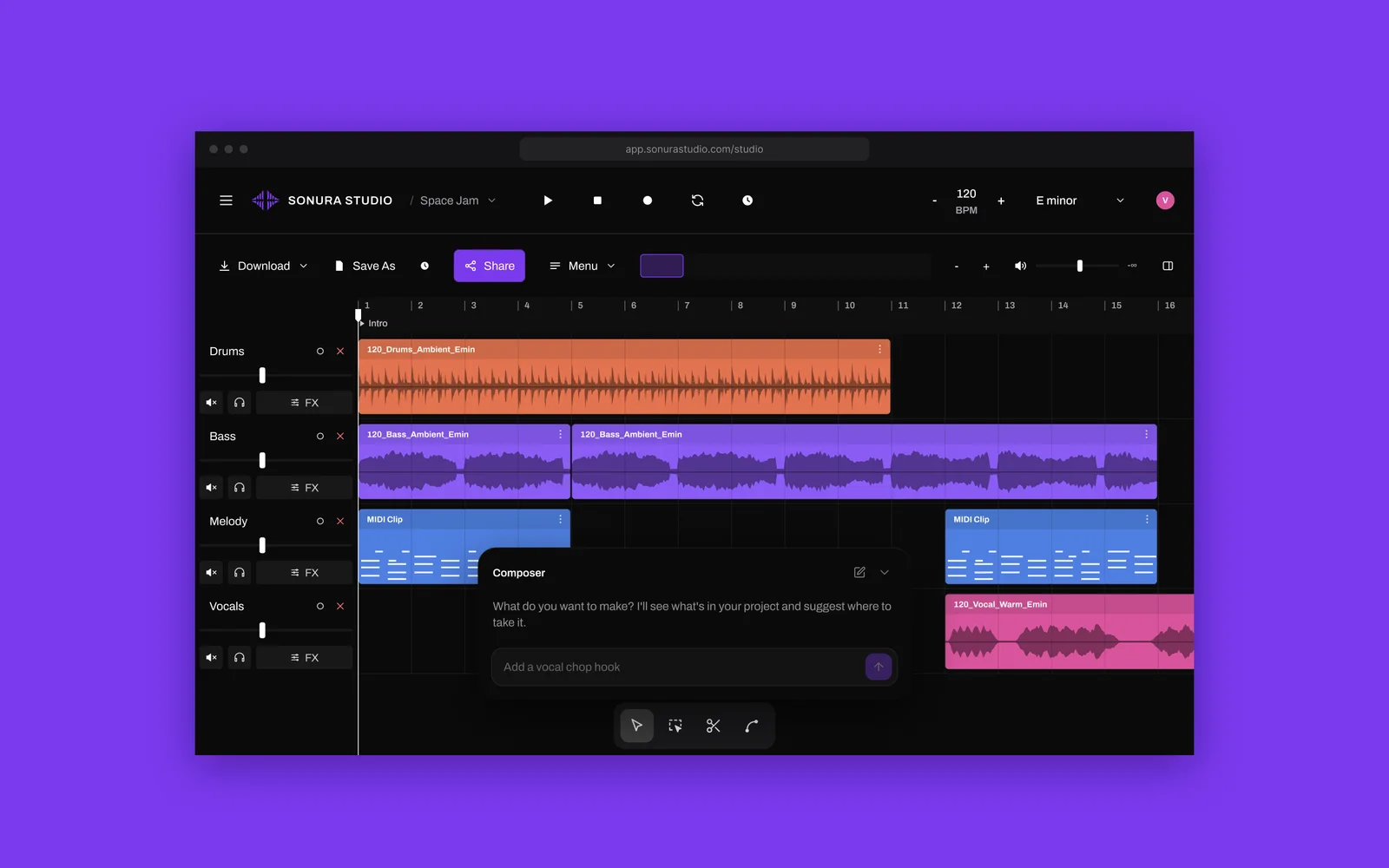
The hardest part of making a song is knowing where to start
Maybe it's a sample you want to build a track around, or a genre that fits a mood. Either way, the first few minutes are where a lot of ideas stall.
Composer is built to unlock the creative process. It's an AI co-producer built into Sonura Studio. Ask it anything in plain language and watch the track get built. You stay in charge of the creative decisions, and Composer handles the busywork.
An overview
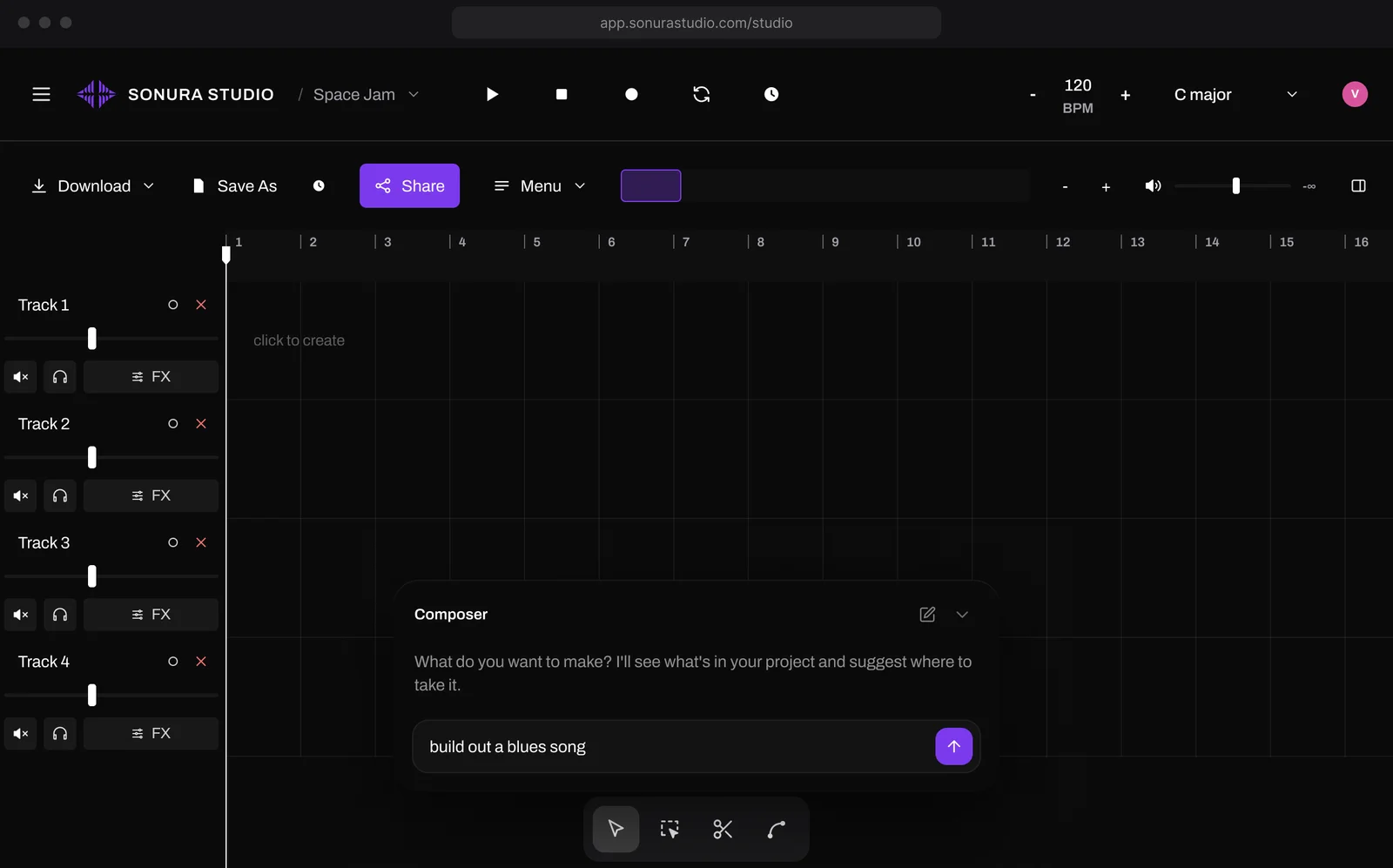
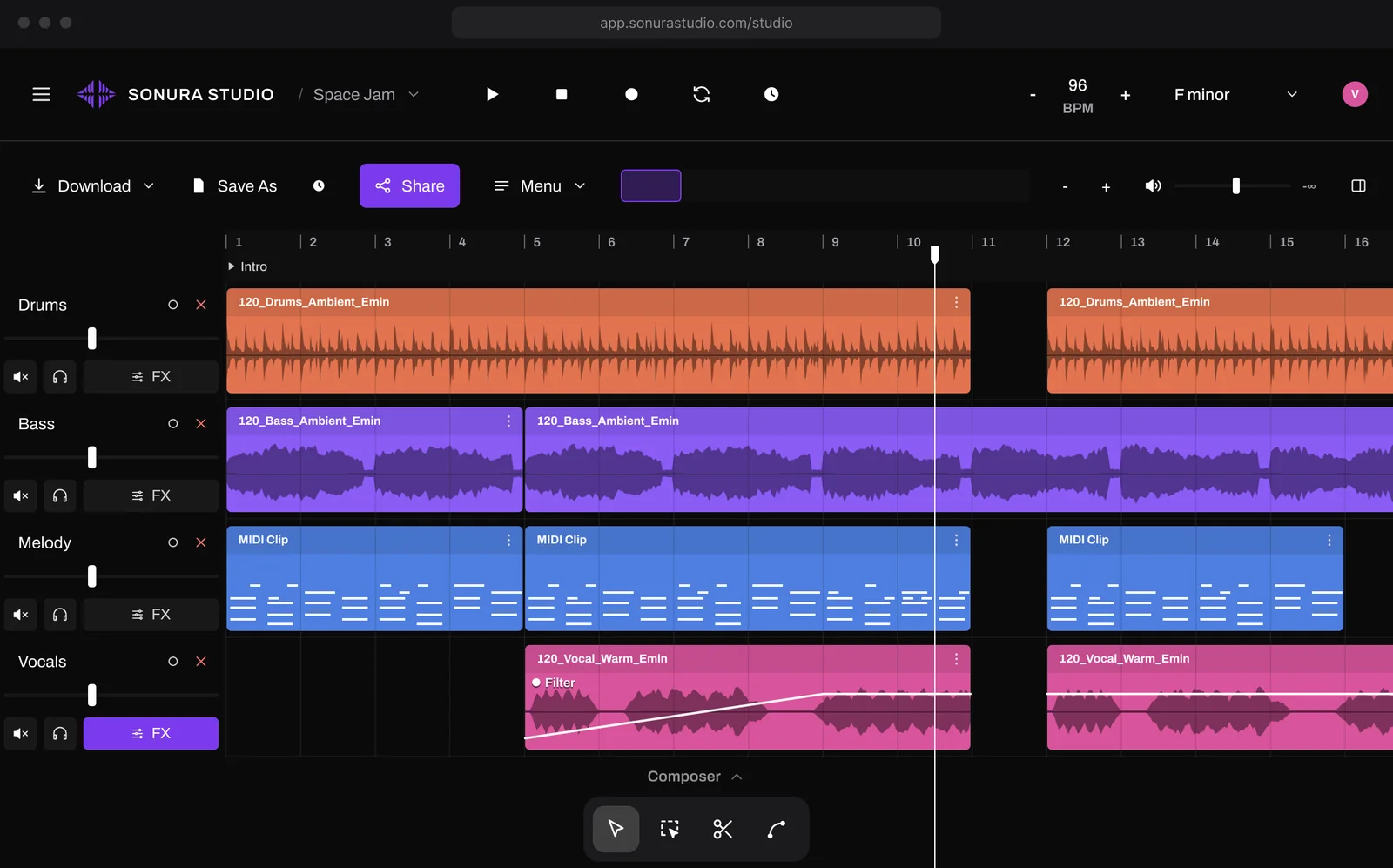
Open a project in Sonura Studio and Composer sits right on top of your arrangement. Type what you want, hit enter, and the changes land on your tracks. Everything it writes is its own editable layer on the timeline.
Starting a song
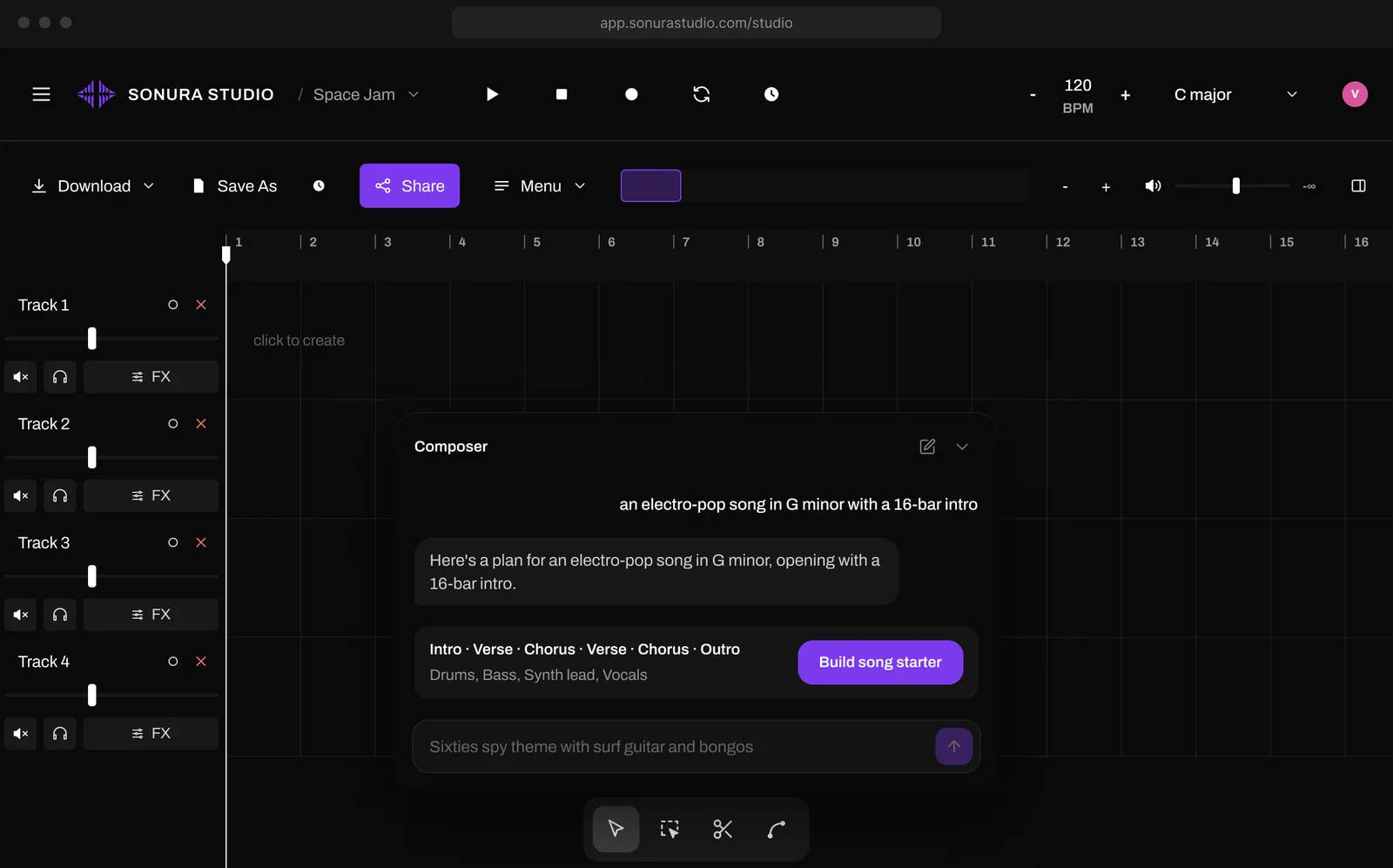
On a blank project, try "build out a blues song," or get specific with "an electro-pop song in G minor with a 16-bar intro." In this example Composer replies with a plan first: the sections and the parts, with a Build song starter button. Build it, or say what to change.
From there, refine and keep tweaking. New to making music? Our guide on how to make a song covers the basics.
Making changes
Once the first pieces are down, Composer handles the detailed edits: BPM, key, and volume or effects on a specific track. For effects that change over time, use Automation.
Tempo and key
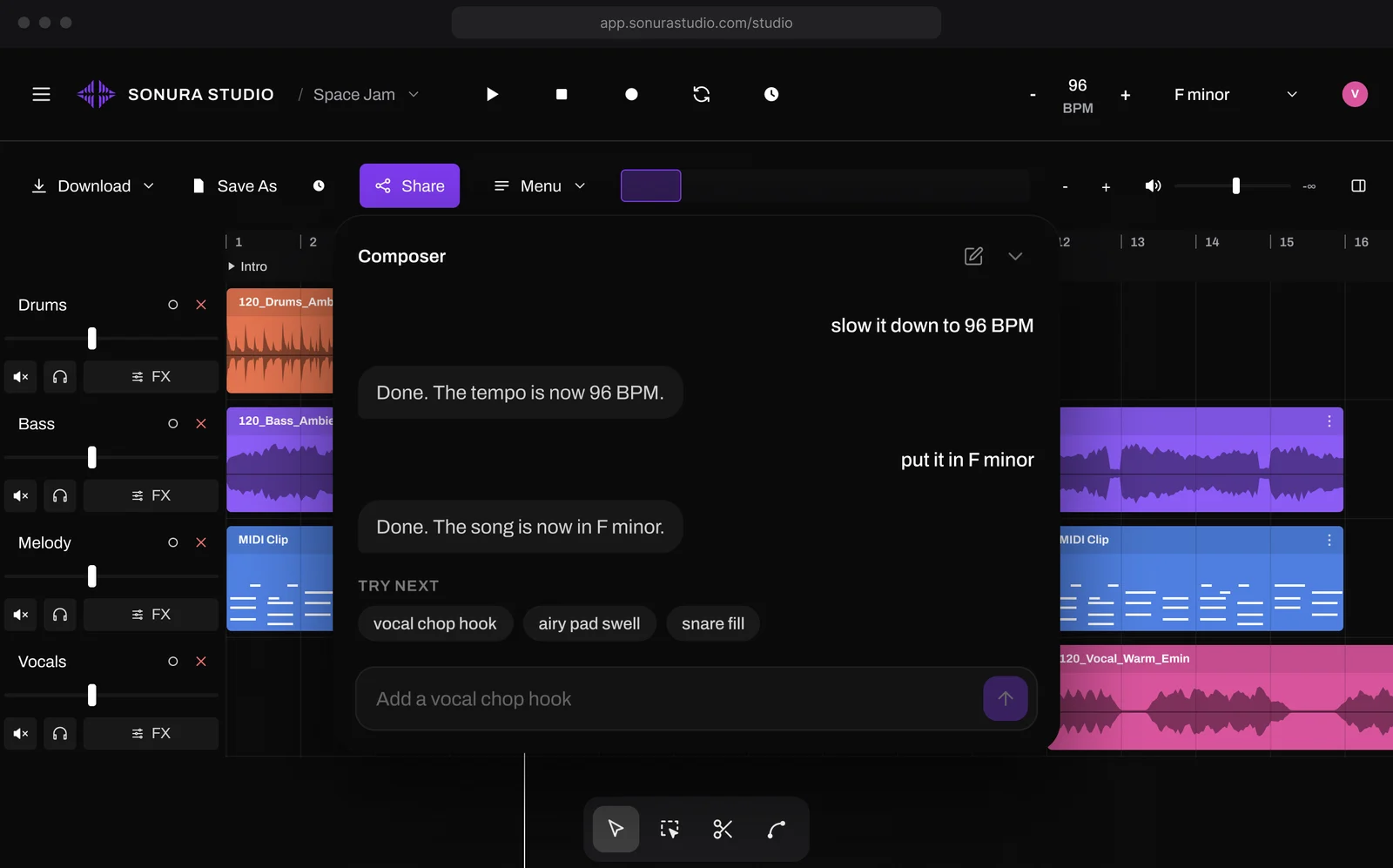
Say "put it in F minor" and the key changes for the whole project, so every part written after that follows it. To move a part you already have, name it and the interval, like "drop the vocal a third".
Mix and effects
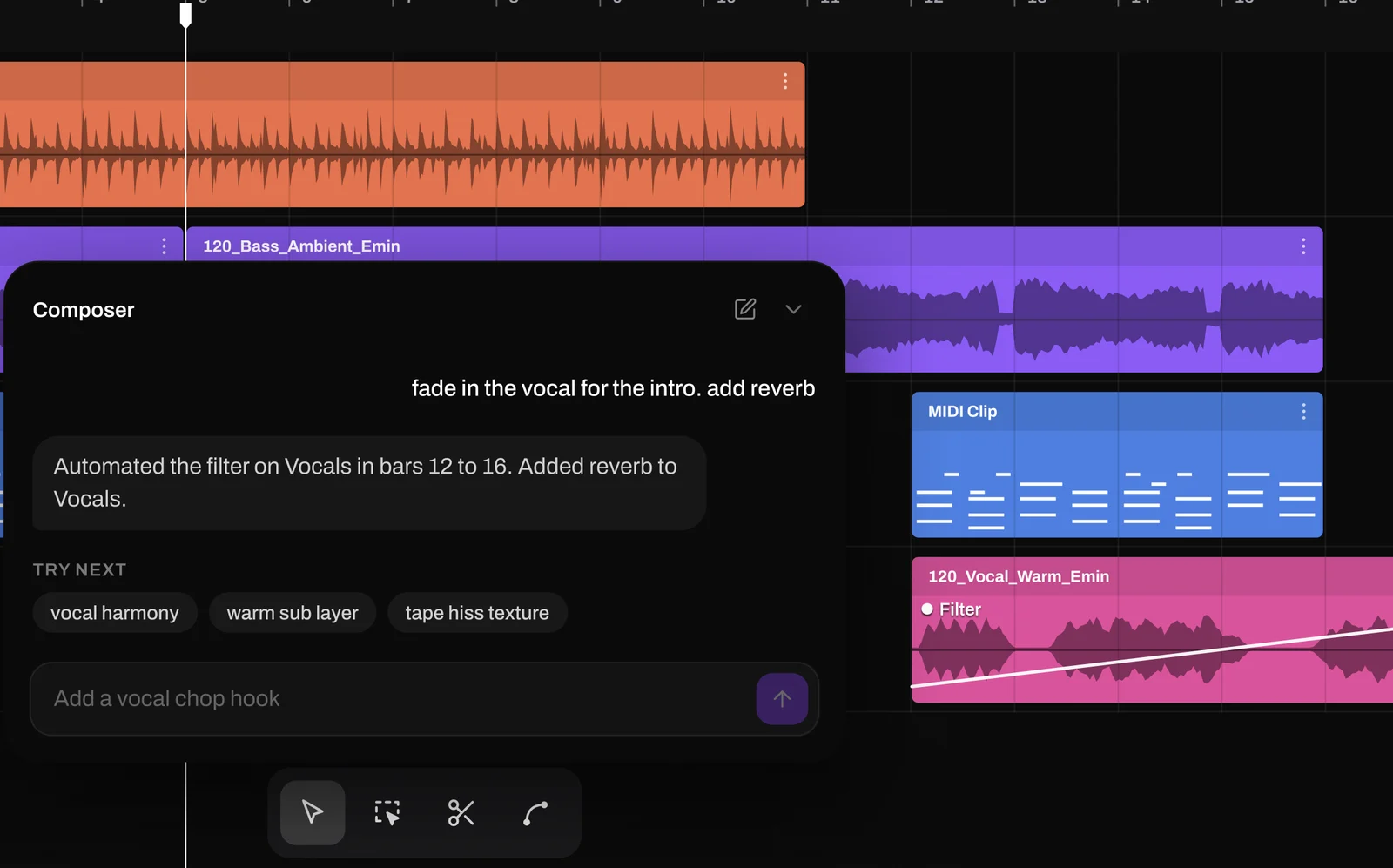 Filter automation
Ask for a level change, mute, solo, reverb, EQ or sidechain on a named track. Here one instruction produced a filter sweep across bars 12 to 16 and a reverb on the vocal, shown as a line on the clip.
Adding, redoing and undoing
Say what is missing, like "add a vocal chop hook", and Composer writes it in, styled to what is already playing. Not the one? Ask for another version. Say "undo" and the previous state comes back exactly.
Once you're happy, export the full track or each part as stems with stem export, then upload them into your DAW and keep going there.
Keep building
Making music is a sandbox, and there's no right way to start. Hopefully this gives you some inspiration the next time you sit down to make something.
When you're ready for a co-producer that builds with you, Composer is the natural upgrade.
Prompts to try
build out a blues song Starts a blues arrangement on a blank project.
an electro-pop song in G minor with a 16-bar intro Sets the key and intro length up front.
slow it down to 96 BPM Changes the project tempo.
put it in F minor Sets the key for every part written after it.
fade in the vocal for the intro. add reverb Automates a filter on the vocal and adds reverb.
add an 8-bar breakdown before the last chorus Inserts the section and shifts the rest to make room.
Related: How to make lofi beats, How to make trap beats, Music production for beginners
Frequently asked questions
What is Sonura Composer?
Composer is an AI co-producer inside Sonura Studio. You describe what you want in plain language and it builds or edits your track: key, tempo, parts, sections and mix. The creative decisions stay with you.
Is Composer free?
Talking to Composer is free on every plan, including the free plan, and you need a Sonura account. Chat, planning and structural edits do not use credits. Parts that Composer generates, such as a new melody or replacement drums, use the same creation credits as anything else you make in Sonura. See pricing for what each plan includes.
Can Composer change the key of my song?
Yes. Ask for a key, for example "put it in F minor", and every part written after that follows it. To move a part you already have, name it and the interval.
Can I use Composer with my DAW?
Yes. Export your track or each part as stems with stem export, then drop them into Ableton Live, FL Studio, Logic Pro or any other DAW. To create sounds inside your DAW, use the Sonura Flow plugin.
Do I need music experience to use Composer?
No. If you can describe what you want to hear, you can use Composer. If you know theory, name a key, a BPM or a bar range and Composer keeps the edit inside it.
Do I own the music I make with Composer?
Yes. Everything you create can be used in commercial releases, sync, streaming and client work with no royalties or attribution. On the free plan creations are public domain (CC0). On any paid plan they are exclusively yours.