How to Split a Song Into Stems: Vocals, Drums, Bass and More
Split any song into vocals, drums, bass and more with the stem separator. Choose two or six stems, download WAV or MP3, and drop them into your DAW.
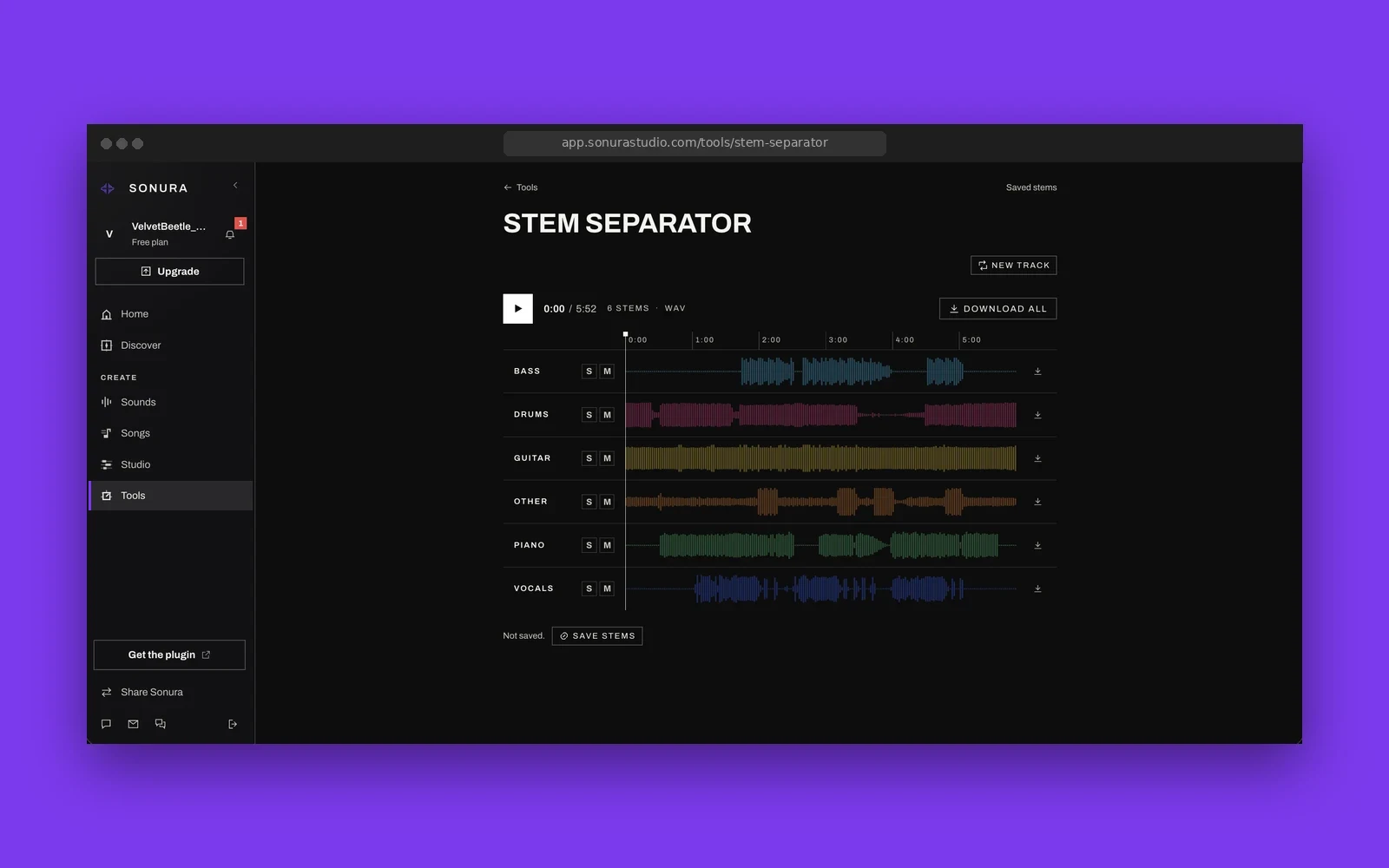
Pull a song apart, then rebuild it
A finished song is one flat file. A stem splitter turns it back into parts you can work with: the vocal on its own, the drums on their own, the bass on its own. That is how producers make remixes, practice tracks, mashups and sample flips.
The stem separator runs in your browser. There is nothing to install, and the stems arrive ready for your DAW.
Two stems or six
Load your track, then choose the split in the Stems menu before you start. The format menu next to it sets WAV or MP3.
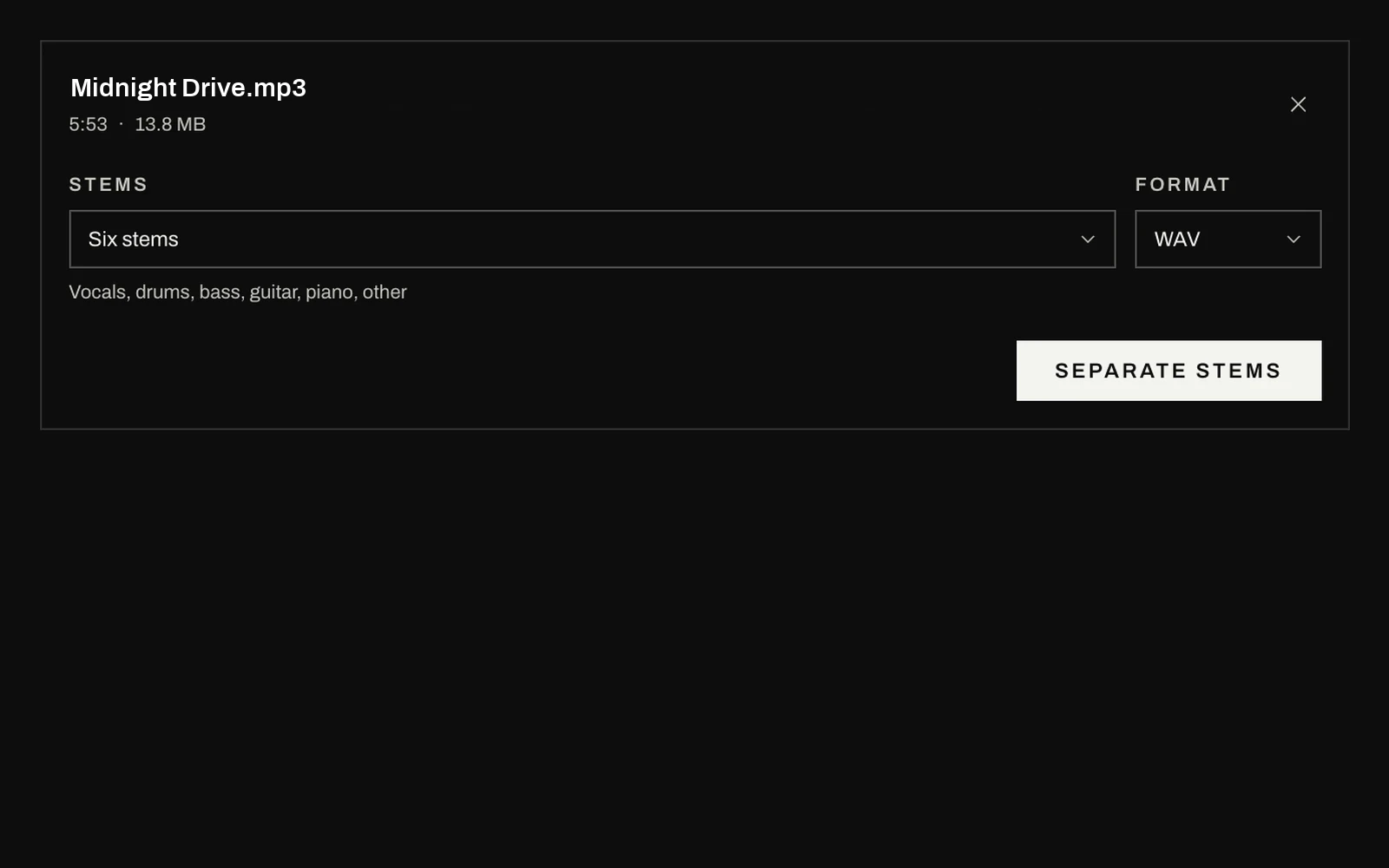
Pick the split that matches the job.
- Two stems: vocals and instrumental. Use it for acapellas, karaoke tracks and quick vocal-free beds.
- Six stems: vocals, drums, bass, guitar, piano and other. Use it to remix, re-arrange, or lift a single part like the bassline.
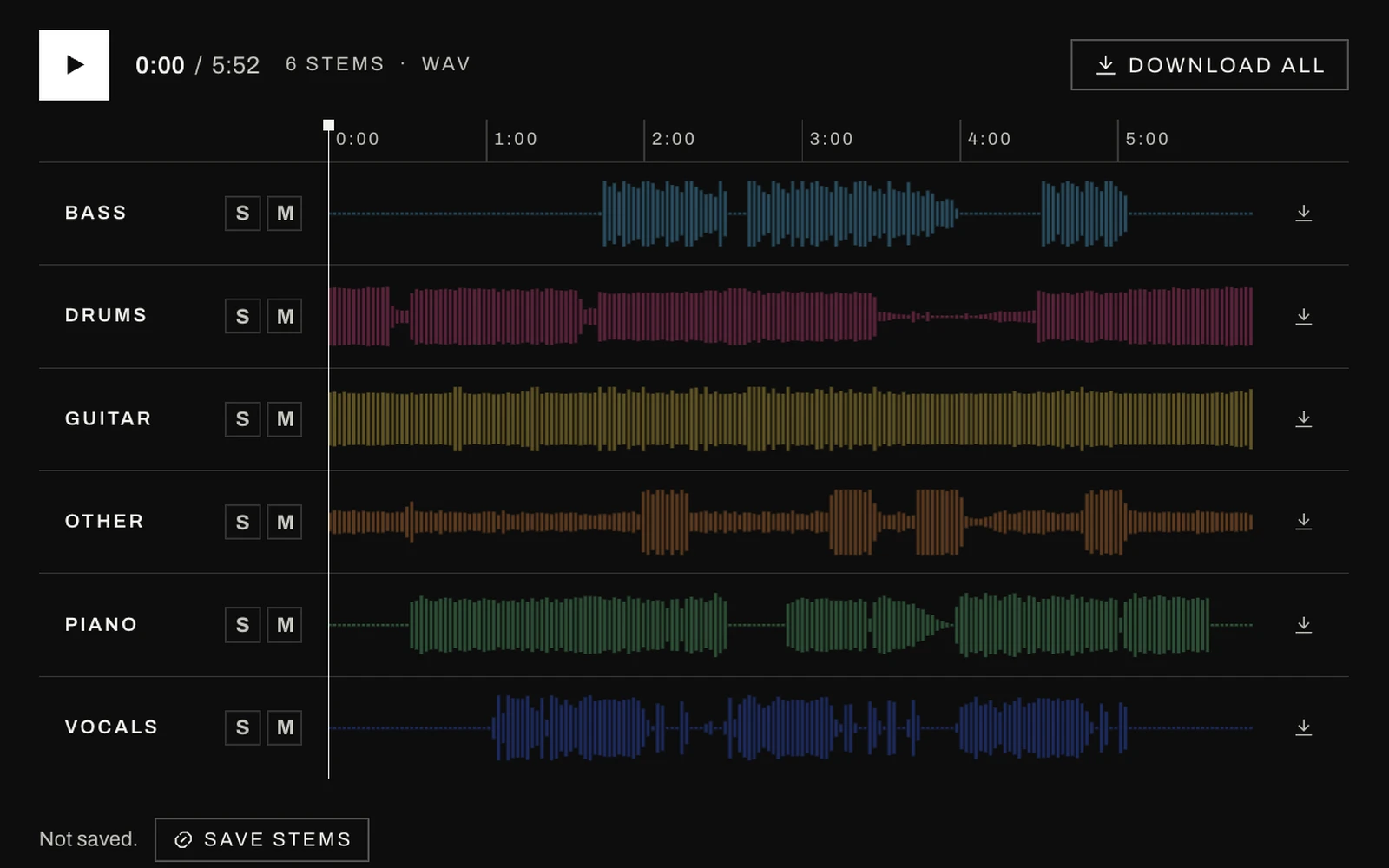
A two-stem split gives you just the vocal and the instrumental, as two tracks instead of six.
If you only want the drums, the drum separation guide covers it. If you are comparing options, see the best stem separation tools.
How to split a song
Open the stem separator, upload your track, and choose two stems or six. When the split finishes, you can listen to each stem, then download everything as WAV or MP3 or save the stems.
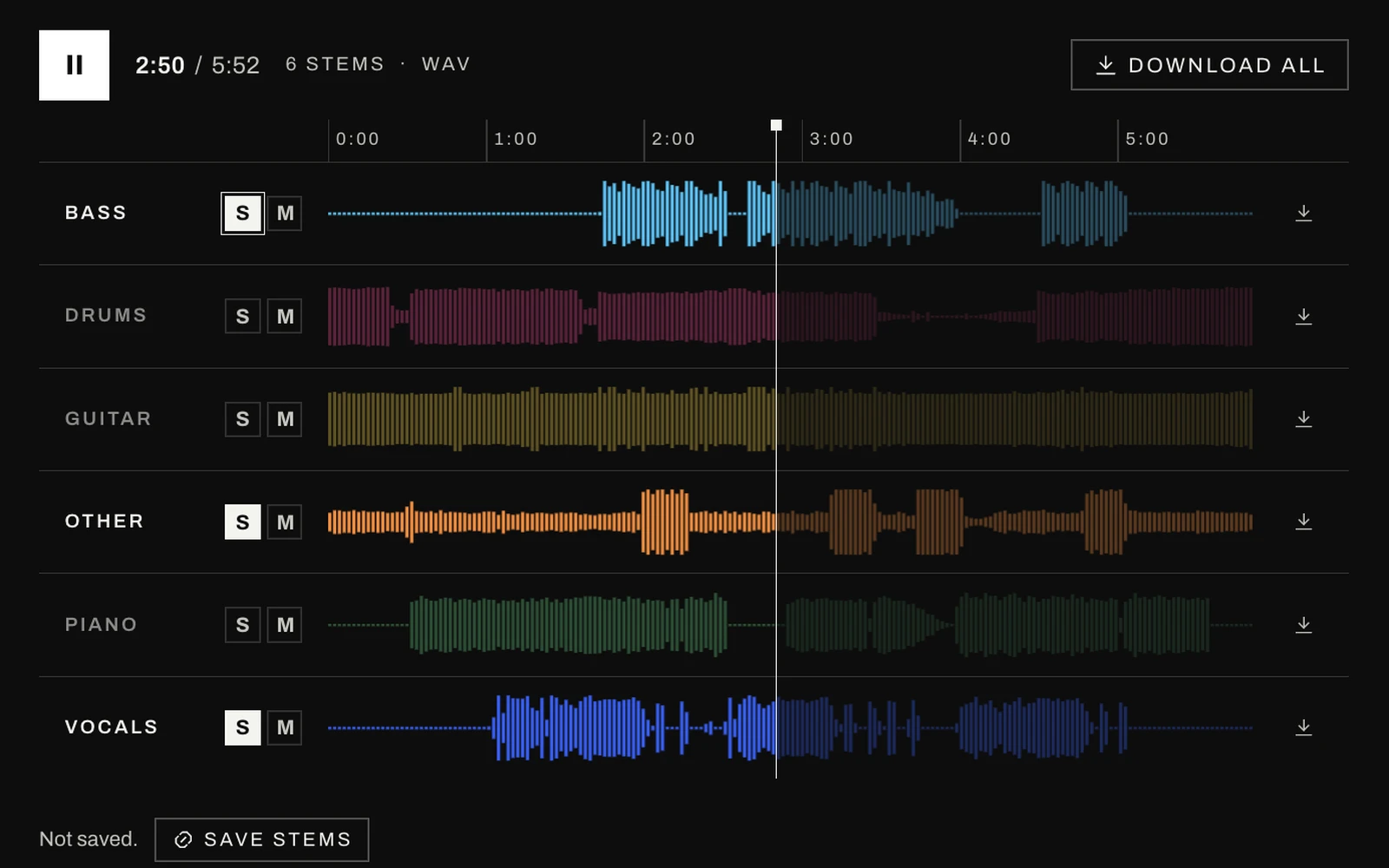
Each track has solo and mute buttons so you can hear a part on its own, plus a download button for each stem.
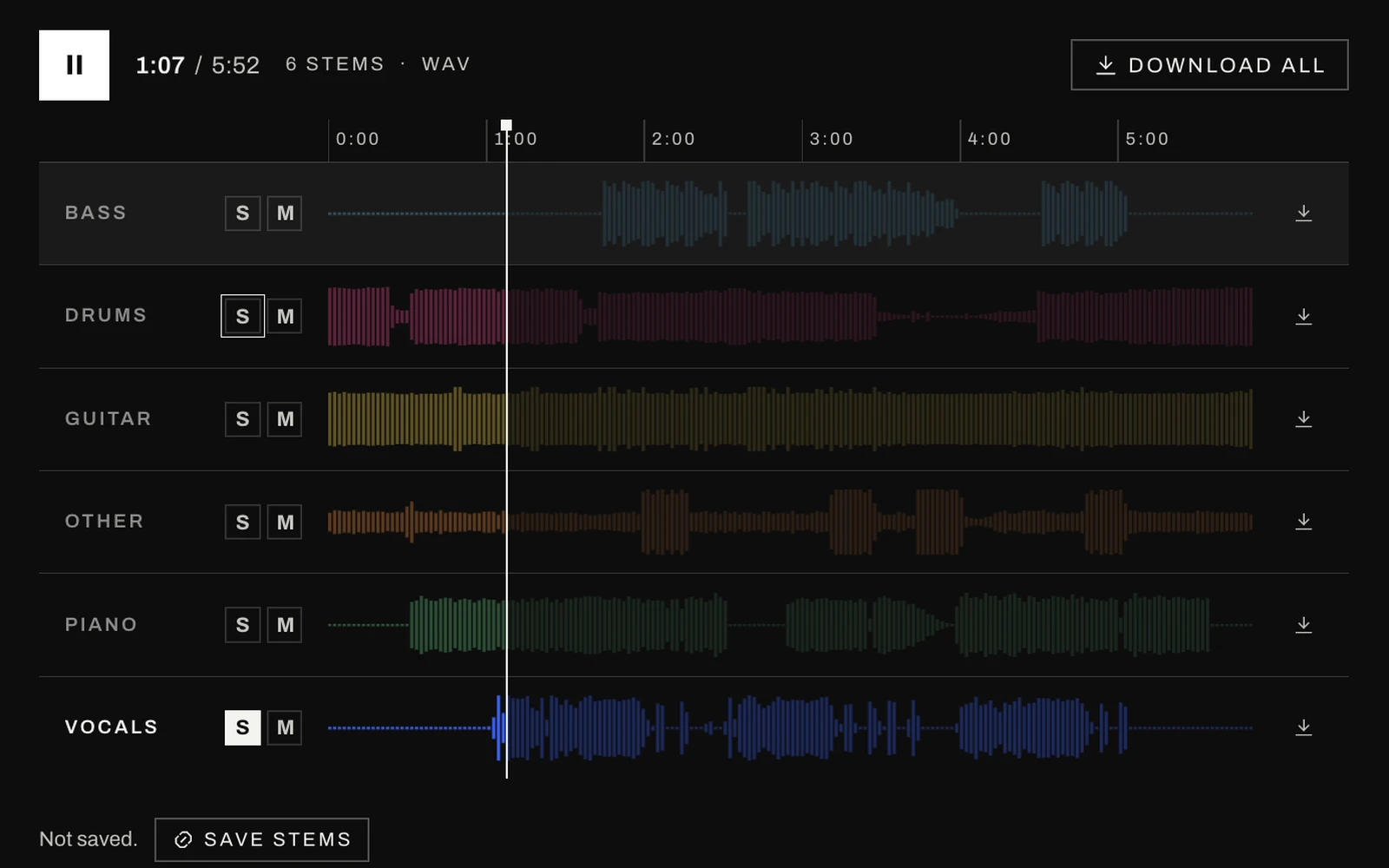
Solo more than one track to hear a part in context, like the bass with the vocals.
Keep going in Sonura Studio
The quickest way to build on a split is Sonura Studio. Split a clip there and the stems land as new tracks right under it, so you can rearrange, add parts and export from the same project.
Take the stems to your DAW
If you work in another DAW, drag the downloaded files onto separate tracks in Ableton Live, FL Studio, Logic Pro or any other DAW, and keep the project tempo the same as the original so they line up. Our guide to exporting stems into FL Studio and Ableton shows the workflow.
To layer fresh parts over what you pulled out, Sonura Flow creates new loops, vocals and one-shots inside your session, and stem export lets you do the same with your Sonura projects.
You are free to play around with any music, but make sure you have permission before distributing music that contains copyrighted material.
Related: The guide to AI music production and stems, Split stems in Logic Pro
Frequently asked questions
What is the stem separator?
It is a browser tool that splits any song into separate audio files: vocals, drums, bass and the rest. You upload a track, choose two or six stems, and download them as WAV or MP3.
How many stems can I get?
Two stems give you vocals and an instrumental. Six stems give you vocals, drums, bass, guitar, piano and everything else.
Which formats can I download?
WAV or MP3. Use WAV when you plan to process the stems further in your DAW.
Can I use the stems in Ableton, FL Studio or Logic Pro?
Yes. They are ordinary audio files, so drop them onto tracks in Ableton Live, FL Studio, Logic Pro or any other DAW. For a Logic-specific walkthrough, see how to split stems in Logic Pro.
Can I release music made from the stems?
Rights depend on the source recording, not the tool. Only split tracks you own or have cleared. For audio you create inside Sonura: Yes. Everything you create can be used in commercial releases, sync, streaming and client work with no royalties or attribution. On the free plan creations are public domain (CC0). On any paid plan they are exclusively yours.